
Khelv Deposit and Withdrawal – Payment, Wallet & Problems
Everything about money on Khelv: how a Khelv deposit works, how to make a Khelv withdrawal, reading your Khelv wallet and balance, and fixing payment problems.
Khelv Deposit Guide
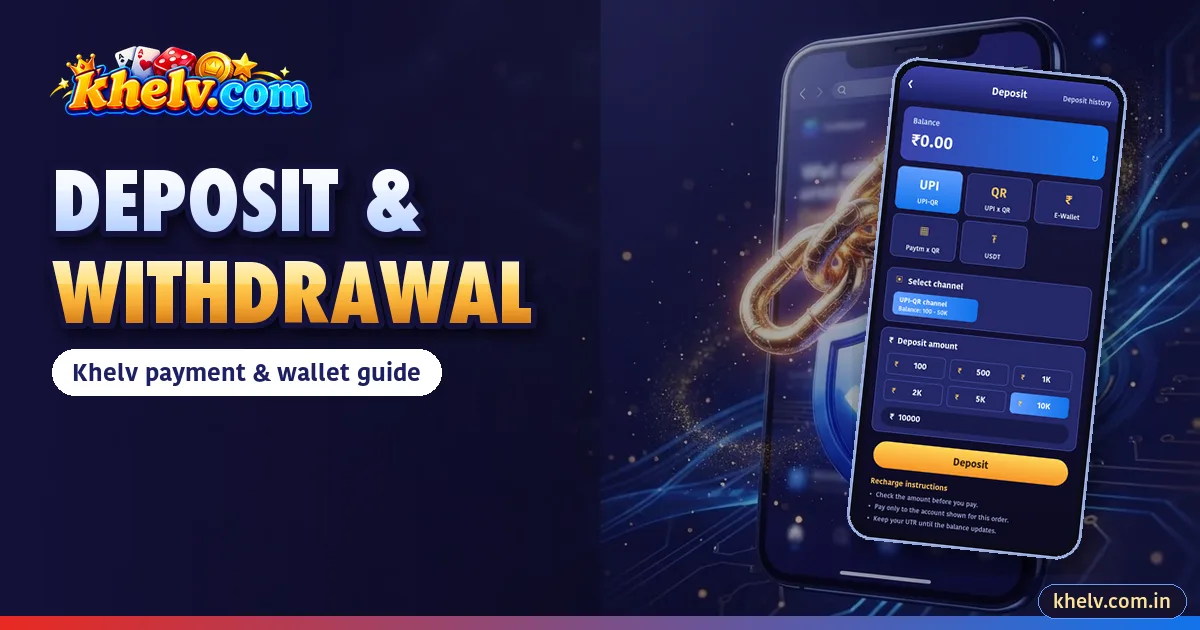
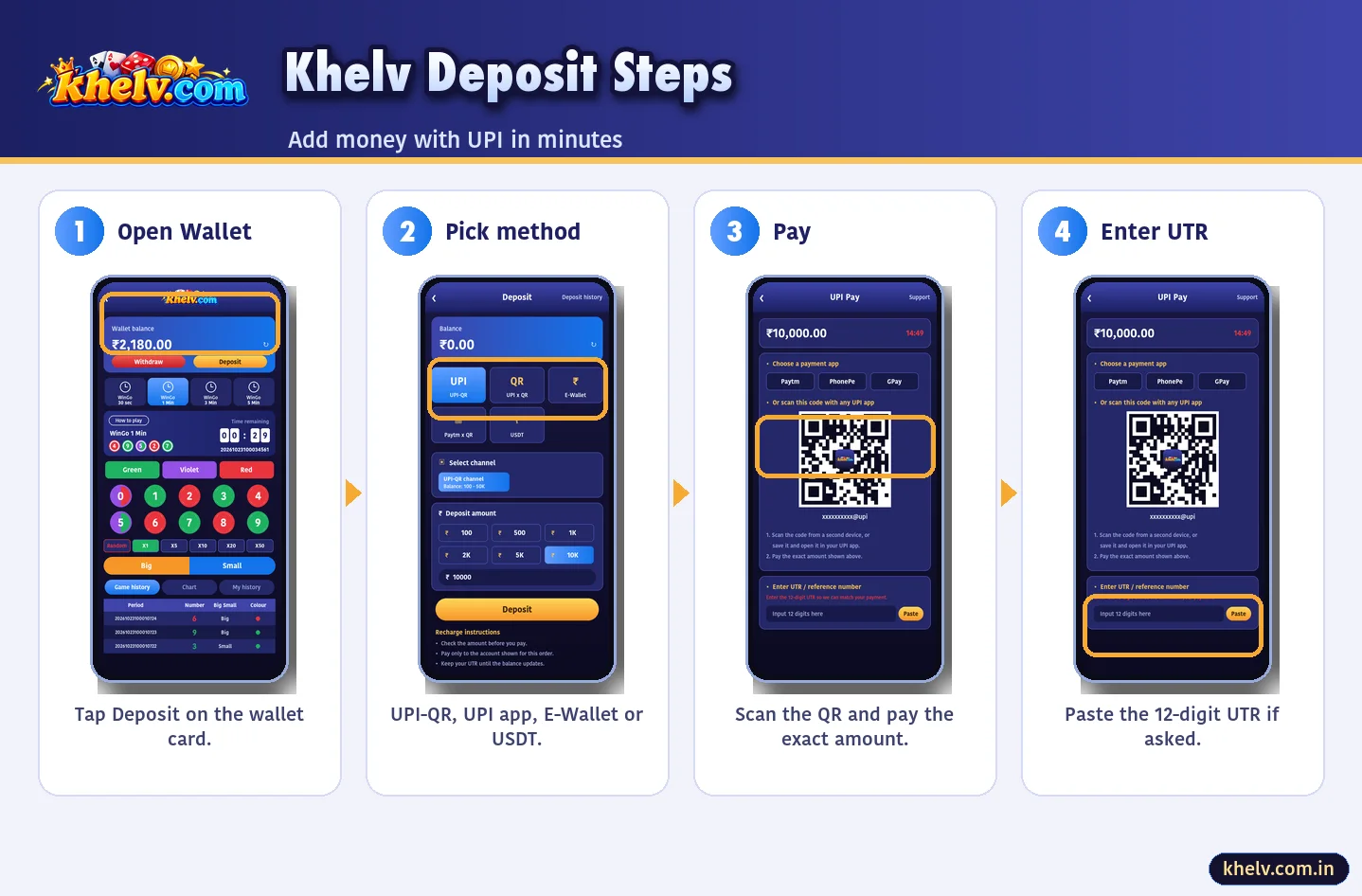
- Wallet → Deposit.
- Choose UPI-QR, UPI app, E-Wallet or USDT.
- Select amount and tap Deposit.
- Pay the exact amount.
- Enter UTR if asked.
Khelv Withdrawal Guide
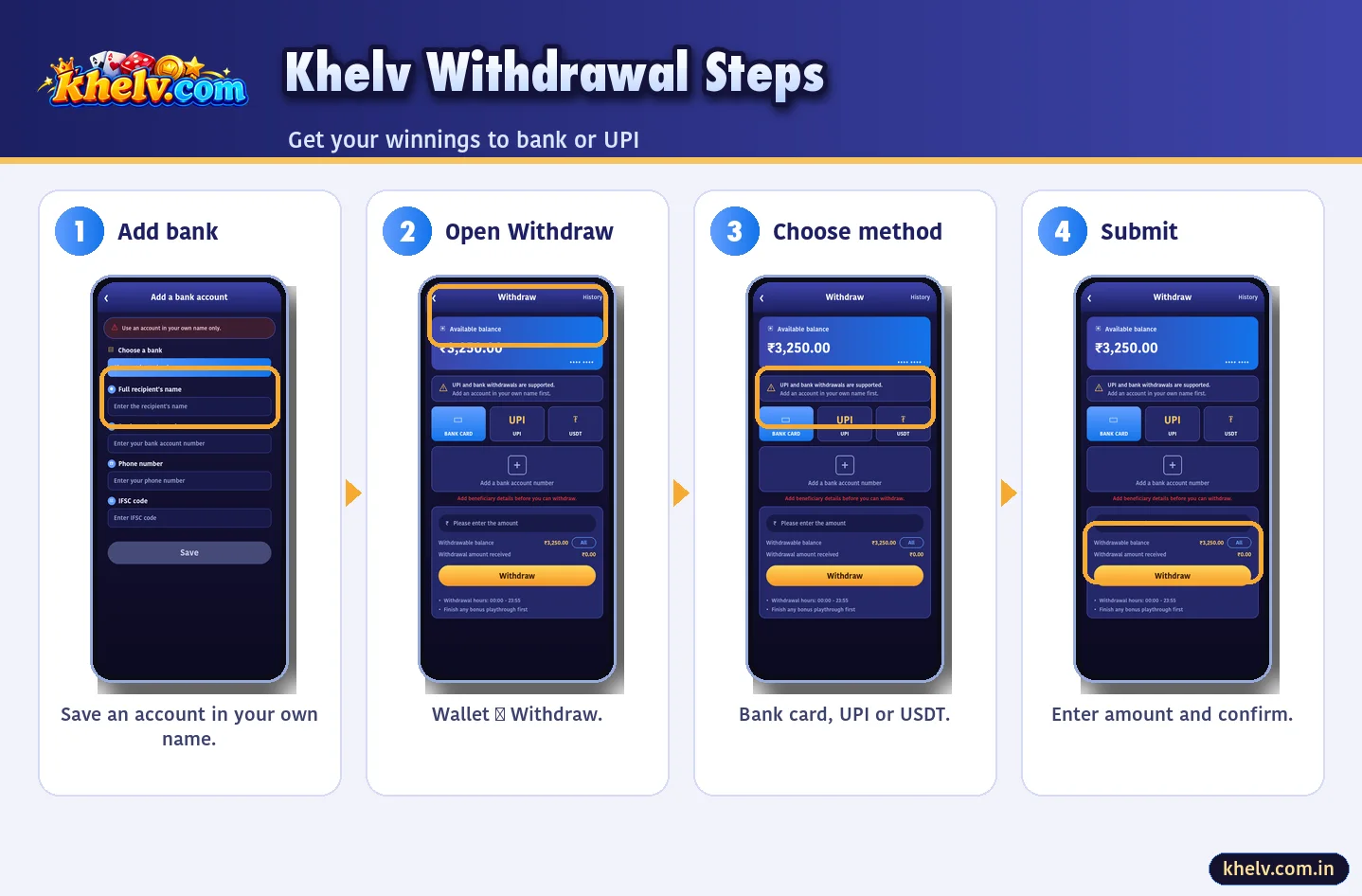
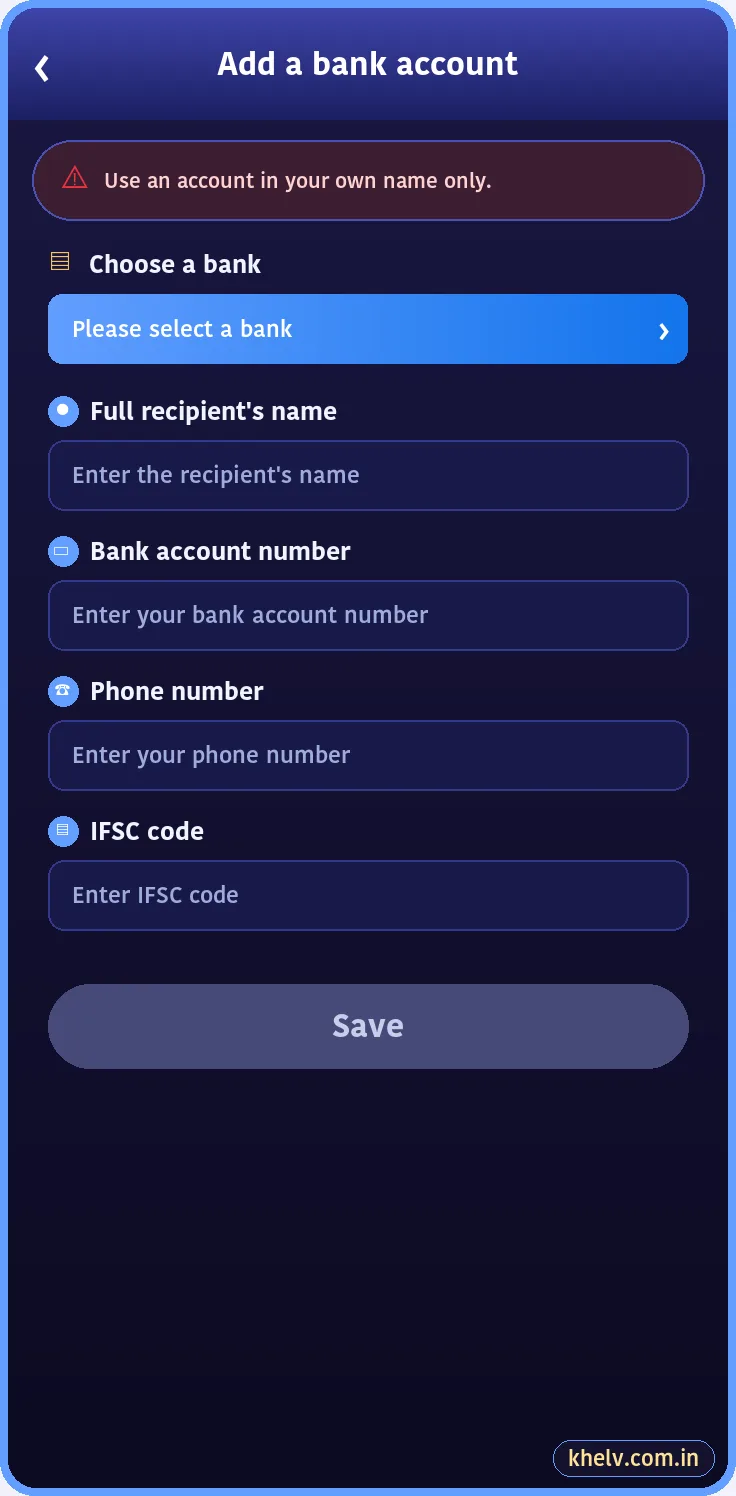
- Add a bank account or UPI ID in your name.
- Wallet → Withdraw.
- Choose method and amount.
- Confirm with withdrawal password.
Khelv Wallet, Balance & Transaction History
The Khelv wallet shows real balance and bonus balance separately. Transaction history lists every deposit, withdrawal, bet and bonus with time and amount.
Khelv Deposit Problem
| Issue | Fix |
|---|---|
| Not credited | Wait 15 min, check UTR, contact support |
| Paid twice | Report with both UTRs |
| Failed at bank | Refund usually in a few working days |
Khelv Withdrawal Problem
| Issue | Fix |
|---|---|
| Pending long | Check playthrough and bank holidays |
| Rejected | Name/IFSC mismatch – correct details |
| Cannot add bank | Account already linked elsewhere |
Khelv Payment Methods Compared
| Method | Deposit | Withdrawal | Speed |
|---|---|---|---|
| UPI | Yes | Yes | Fast |
| Bank transfer | — | Yes | Same day usually |
| USDT (TRC20) | Yes | Yes | Network dependent |
| E-Wallet | Yes | — | Fast |
Khelv Balance: Real vs Bonus
Real balance is what you deposited and won; it can be withdrawn. Bonus balance comes from offers and may need playthrough. The Khelv wallet shows both separately.
Khelv Transaction History
Wallet → Transactions lists every deposit, withdrawal, bet and bonus with time and amount. Screenshot entries before contacting support.
Safe Payment Habits
- 1Pay exact amounts only
- 2Never reuse an old QR
- 3Never pay a personal UPI from chat
- 4Own bank account only