
How to Login Khelv: Step-by-Step Guide (2026)
This is the quick, picture-based version of the Khelv login guide, ideal if it is your first time.
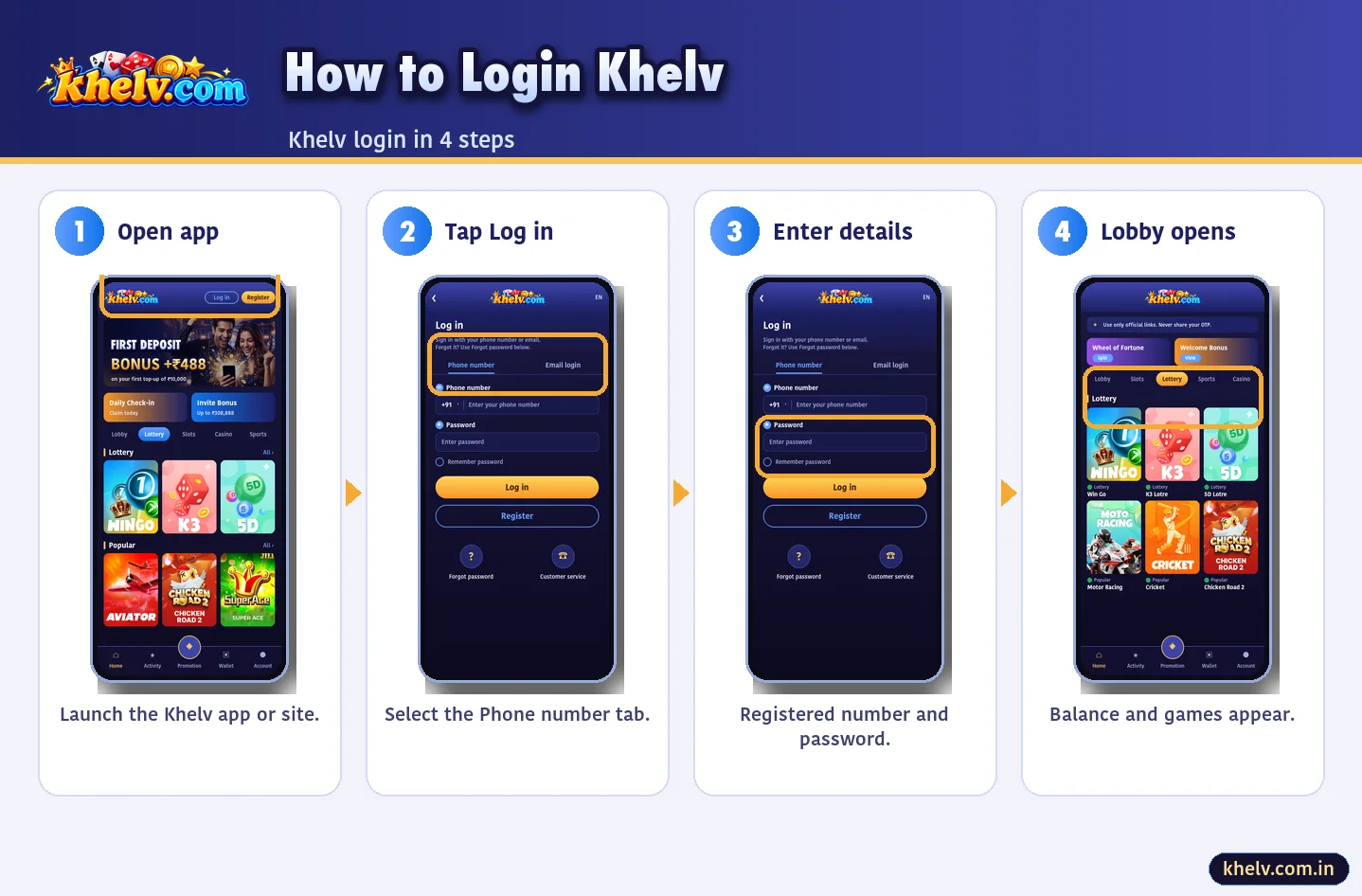
Before You Start
- You need a Khelv account (see how to create a Khelv account).
- Keep your registered phone nearby.
The 4 Steps
- Open the Khelv app or Khelv official website.
- Tap Login and choose Phone number.
- Enter number and password.
- Tap Log in – your lobby opens.
Login on Laptop
The same steps work in Chrome or Edge on a laptop. Do not let the browser save your password on shared computers.
If Something Goes Wrong
| Error | Do this |
|---|---|
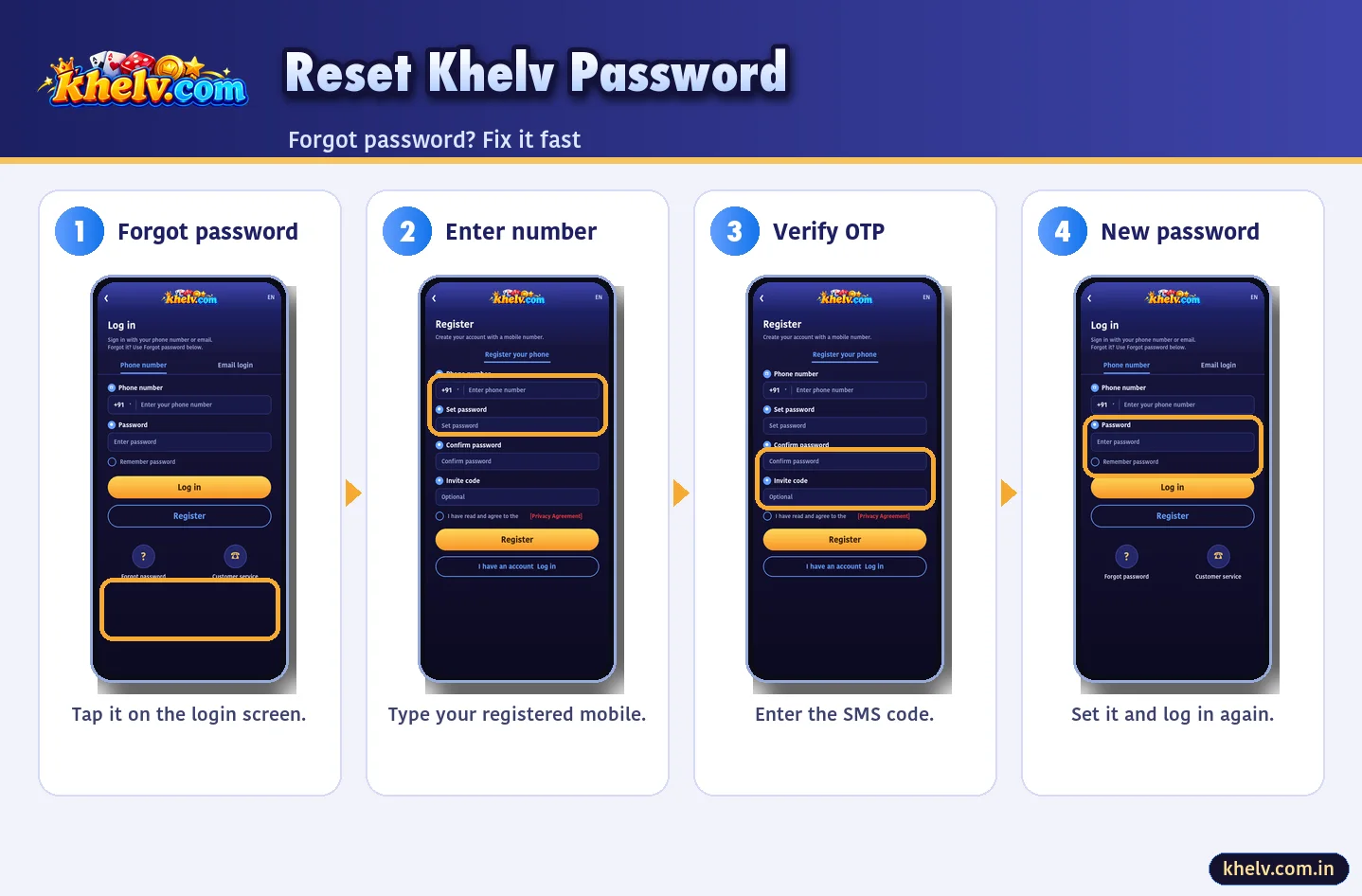
| Wrong password | Reset it |
| No OTP | Wait 60 sec |
| Locked | Wait 15 min |
| Fake page | Verify the official link |
Khelv Login on Android vs iPhone
| Phone | Best way |
|---|---|
| Android | Khelv app (APK) |
| iPhone | Safari web app |
Keep Your Khelv Login Safe
- 1Never share OTP
- 2Unique password
- 3Log out on shared phones
- 4Verify the official link
Bookmark the Khelv official link so you never need to search for it again.
Frequently Asked Questions
What is the Khelv login ID?
Your registered mobile number.